
The logbook built for an airline pilot's week
LogVector is built by an airline pilot. Your schedule goes in once, each leg arrives with its out, off, on and in times filled in, and you log it with one tap as pilot flying or pilot monitoring.


The logbook is free. Every plan starts with 2 weeks of Pro. On iPhone, iPad and Android.
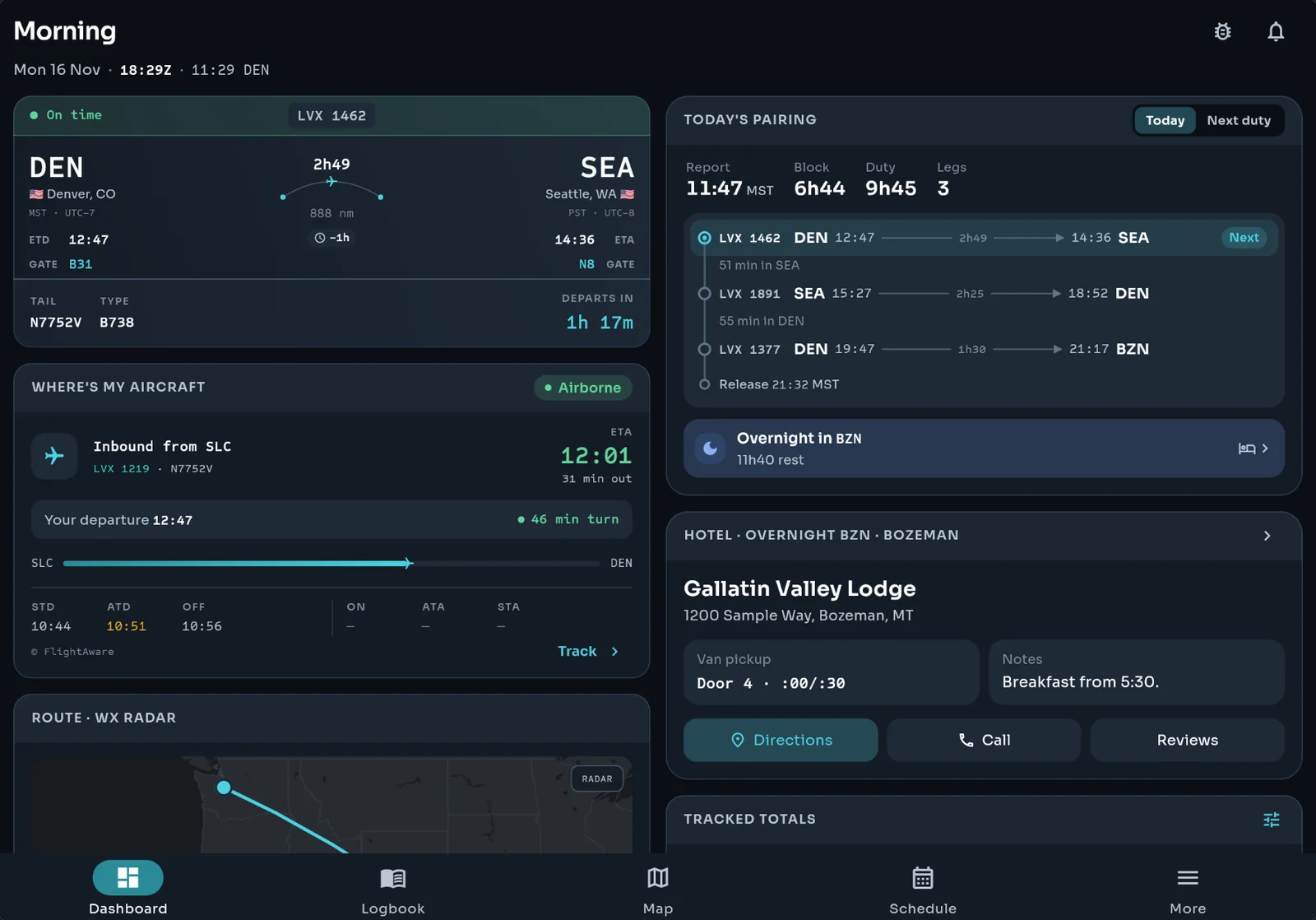
From roster to record without typing a leg
Your schedule goes in once
Paste your schedule or add a screenshot of it. Every leg of the trip is waiting on your Dashboard.
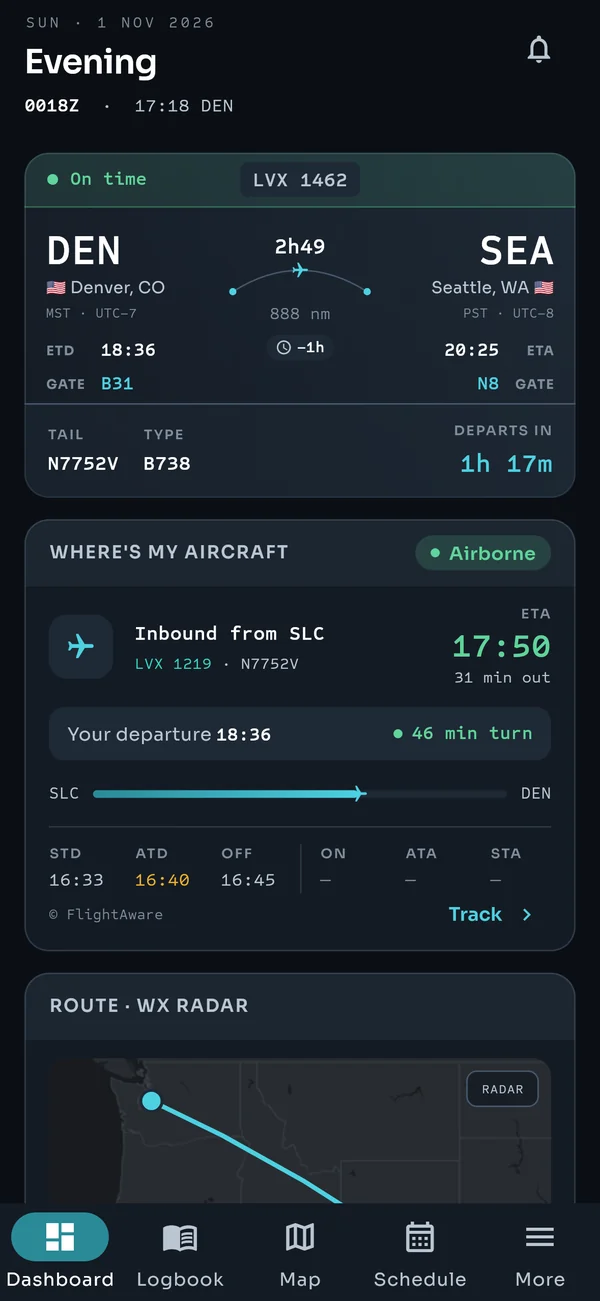
The times are already there
When you arrive at the gate, the leg is ready to log with its out, off, on and in times filled in.
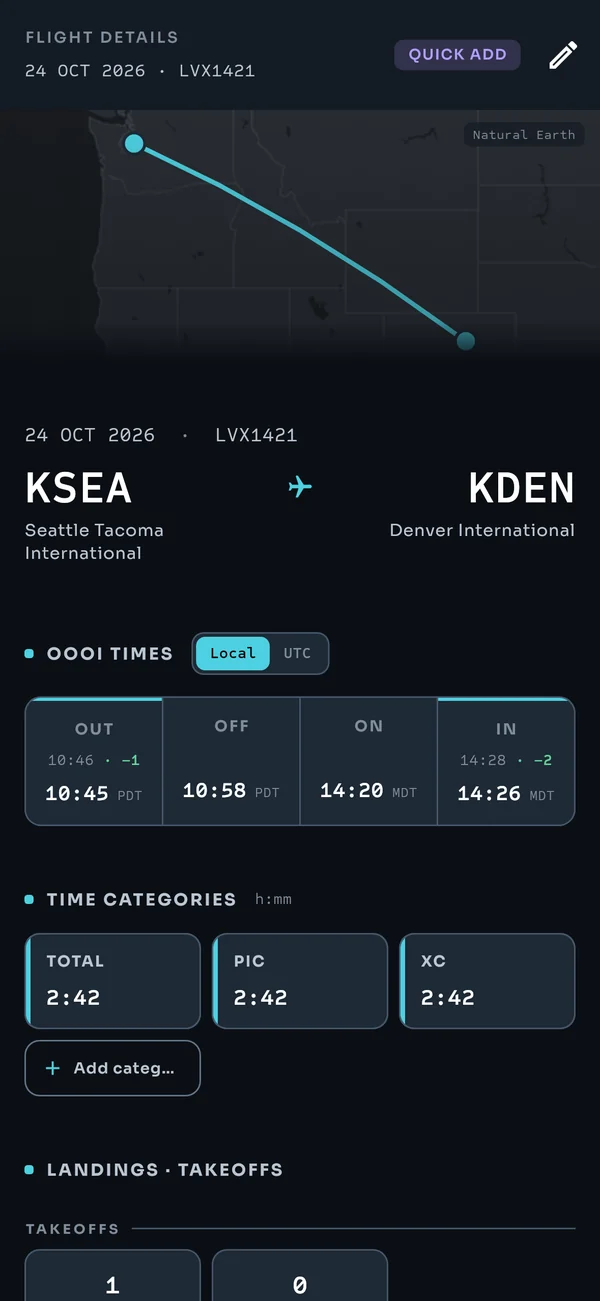
Log as PF or PM
Tap Log as PF or Log as PM and the flight is in your logbook. You can still edit anything, and every edit keeps its history.
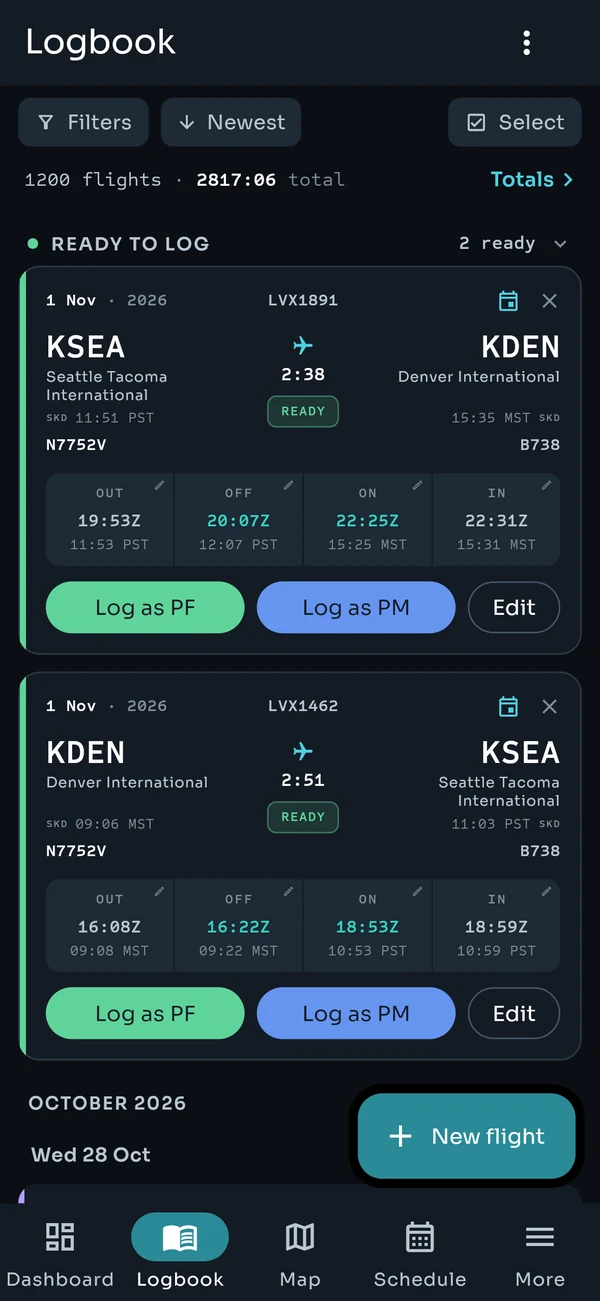
More than the logging
The small label on each card is the plan it comes with.
Live delays, gates and tail swaps
A notification when the leg you are about to fly is delayed, changes gate or gets a different aircraft.
ProWhere is my aircraft
See where your inbound aircraft is, and get a heads-up when a late inbound makes your turn tight.
ProFamily and friends
The people you choose see your trips and hear when you take off and when you land, in their own time zone.
ProFlight time limits
Your rolling limits under Part 117 or 121 Subpart Q, each as a bar, worked out from your logbook.
FreeWeather for your route
METAR, D-ATIS and TAF decoded and stamped with their age, and your route over live radar.
FreeGPS auto-log
No schedule in the app? Your phone senses the flight and fills in the times.
StandardYour record, ready when someone asks for it
The logbook is free. A plan does the typing.
Logging, editing, file imports and every export are free on every plan, forever. Standard adds automatic logging from GPS and your schedule. Pro adds live alerts on your next leg, sharing with family and paper logbook scanning. Every plan starts with 2 weeks of Pro, free.
See the plans and pricesThe short answers
Does it work with my airline?
With Pro, a schedule from any airline can be read from a paste or a screenshot. FFDO and HSS schedule paste is free on every plan. With no schedule at all, GPS auto-log on Standard still senses each flight.
Does it log pilot flying and pilot monitoring?
Yes. Each flight is logged as PF or PM with one tap.
Which flight time limits does it follow?
You pick the rule set, Part 117 or 121 Subpart Q, or both, and the limits are worked out from the flights in your logbook.
Can my family follow my trips?
Yes, with Pro. You choose who follows and what they see, and it is free for them. How following a pilot works.
More about LogVector
Landed. Logged.
Download LogVector before your next trip. The logbook is free, and every plan starts with 2 weeks of Pro.