
Turn your paper logbook into a digital one
Photograph the pages of your paper logbook. LogVector reads each line, checks the rows against the totals you wrote on the page, and adds nothing until you have checked it.


The logbook is free. Every plan starts with 2 weeks of Pro. On iPhone, iPad and Android.
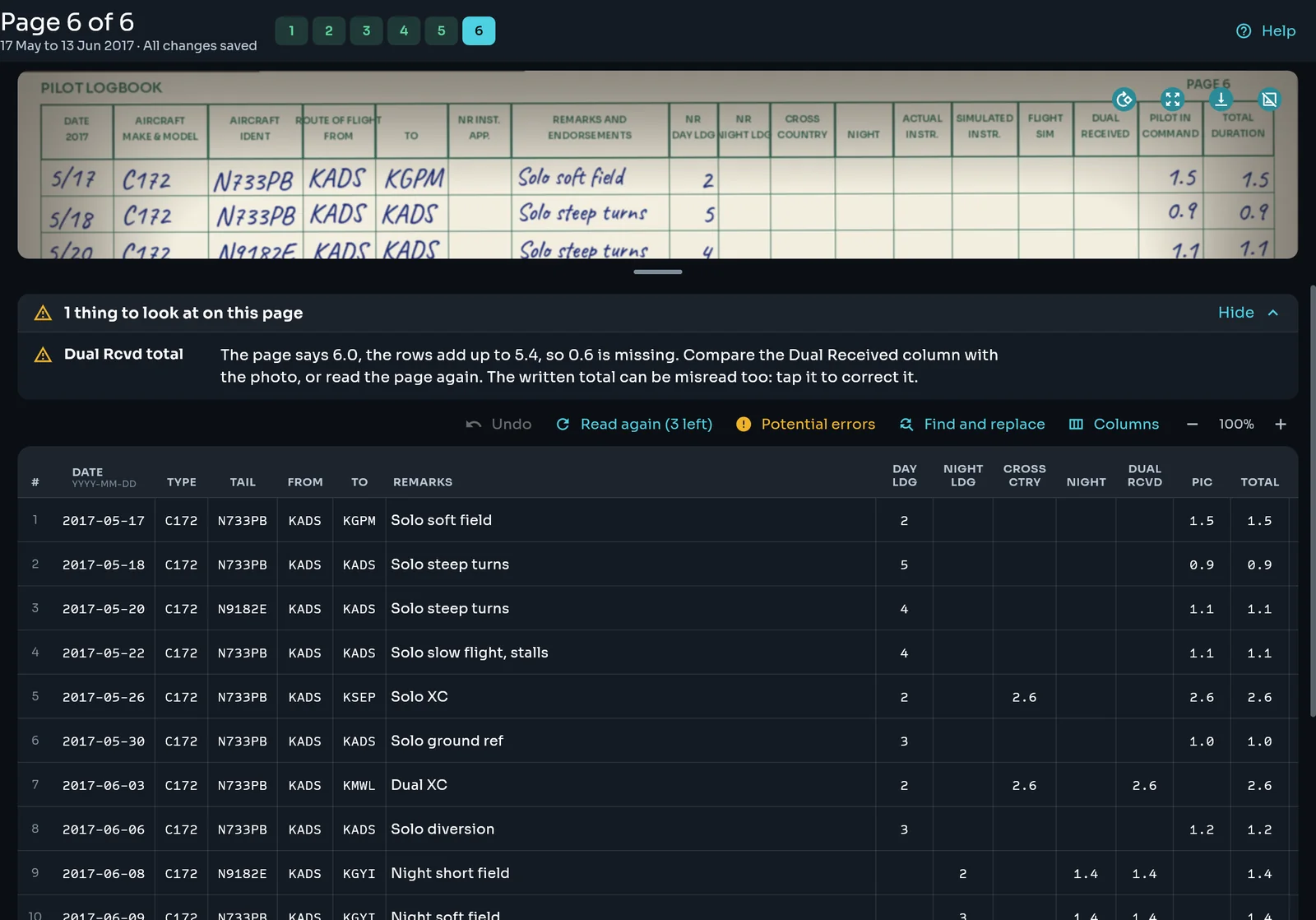
Four steps from the page to your logbook
Take the photos
Use the camera on your phone or tablet, or choose photos you already have. Each page is backed up to your account.
The page is read for you
On a tablet or a computer, tap Read. The dates, aircraft, routes and times come back as a table beside the photo.
Check it against the photo
LogVector compares the rows with the totals written on the page and points at anything that does not add up. You fix a value with a tap.
Add the flights
Checked pages go into your logbook. A flight that looks like one you already have is asked about, not added twice.
Before you start
Try a few pages before you decide
Every new account has scan pages to try, free. Pro includes scan pages every month, and packs of extra pages are there for a whole book. One page is one photographed logbook page. Packs never expire.
See the plans, packs and pricesOr start from your totals
Opening balances carries your totals forward, so you can keep the paper book as your history and log from today. Scan the old pages later, or never. Opening balances is free.
The short answers
Can I scan a paper logbook on my phone?
You can take the photos on a phone. Reading and checking the pages needs a bigger screen, so that part runs on a tablet or a computer.
Do I keep my paper logbook?
Yes, keep it. The scan makes a digital copy, and the photo of every page stays with it.
What if a page is read wrong?
Fix the values on the check page, or have the page read again. Nothing reaches your logbook until you mark the page as checked.
I already use another logbook app. Do I need to scan?
No. If your flights are in another app or a spreadsheet, import the file instead. It is free.
More about LogVector
Bring your paper logbook with you
Download LogVector, photograph a page and see it read. The logbook is free.